AI Age Filter: How Old Filters Change Photos and What They Can Really Show
A practical guide to AI photo-aging filters, realistic inputs, use-case choices, privacy questions, and the difference between a visual effect and an age estimate.

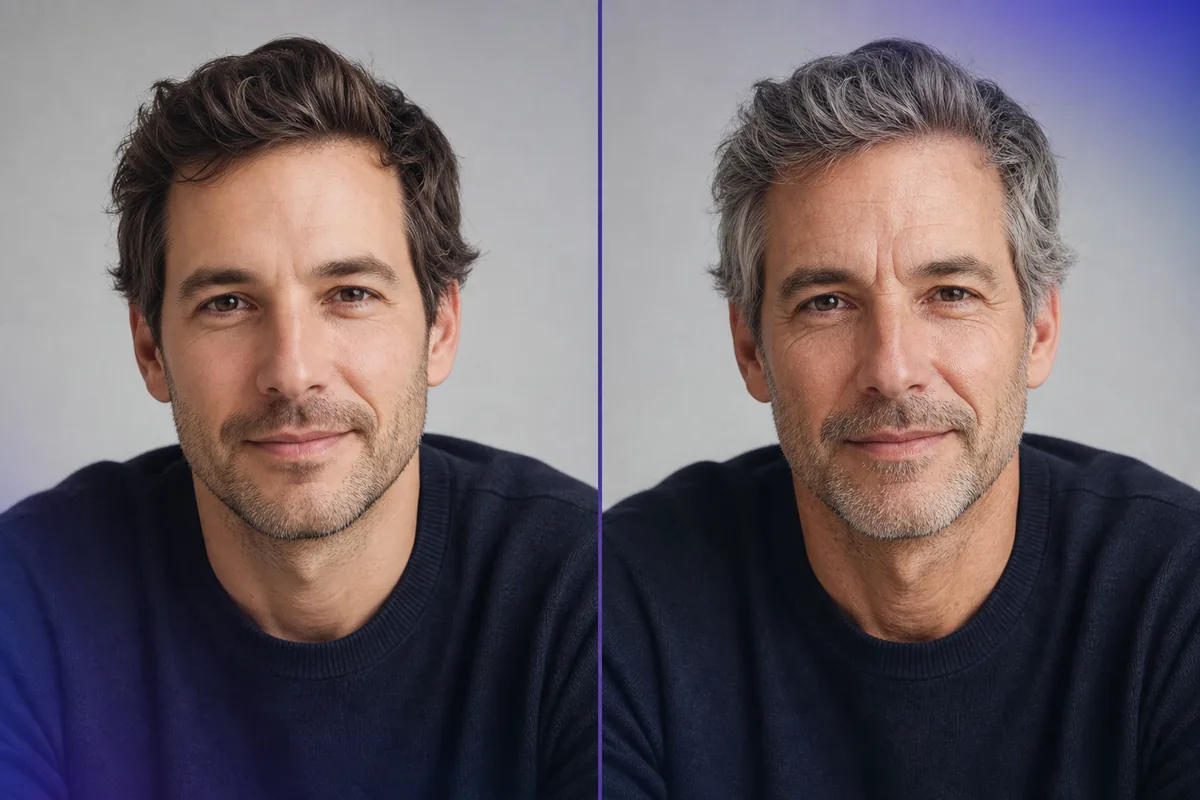
Searches for an AI age filter, old filter, or photo ager usually come from a visual question: what might this person look like with more gray hair, deeper expression lines, or a different facial texture? That is different from asking how old someone appears today. This guide separates those tasks so you can choose the right kind of page, prepare a better portrait, and avoid treating a stylized result as evidence about a real person’s age.
What Is an AI Age Filter?
An AI age filter is an image-editing effect that changes age-related visual cues in a face photo. Depending on the tool, it may adjust hair color, skin texture, fine lines, facial volume, lighting, or other features that viewers associate with getting older. The result is designed to look like a plausible edited portrait, but it is still a generated scenario built from one image.
The phrase old filter can also describe simple social-media effects, while photo ager often refers to an AI tool that applies a stronger transformation. The labels are not standardized. Before uploading a face, check whether the service creates a new image, keeps the original, stores the upload, adds a watermark, or uses a third-party model.
The most important boundary is purpose. A filter answers, “What could this photo look like after an age-style edit?” It does not answer, “What is this person’s true age?” and it cannot prove how that person will actually look in the future.
- Identity cues — A good edit keeps recognizable proportions, eyes, nose, jawline, and expression instead of replacing the face with a generic older person.
- Age cues — The model may add gray hair, texture, lines, volume changes, or a softer contour to create an older-looking impression.
- Style strength — A subtle preview is easier to interpret than an extreme effect with exaggerated wrinkles, distorted skin, or a changed identity.
- Input dependence — The same person can receive different results when the lighting, angle, expression, makeup, or resolution changes.
How Do Photo-Aging Filters Work?
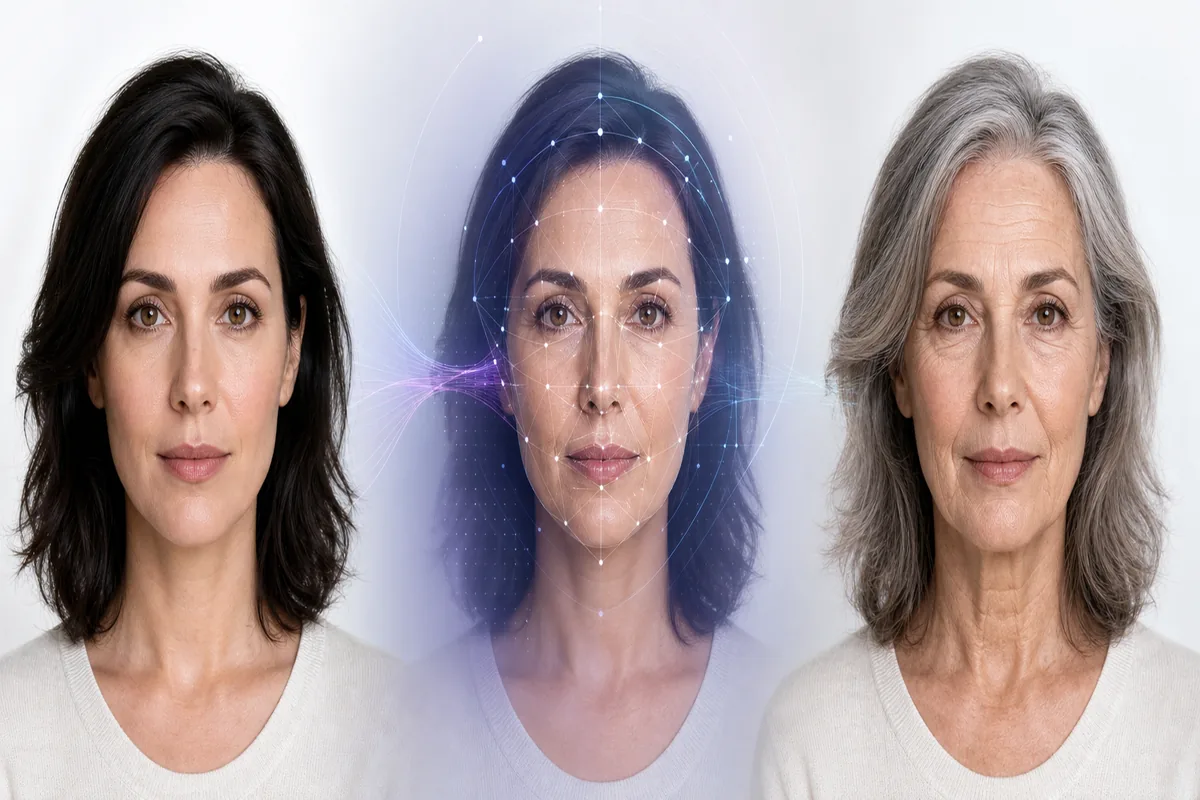
Most AI age filters follow a broad pipeline. The exact model is usually proprietary, so a responsible explanation should describe the visible workflow without promising a precise biological simulation.
1. Detect and align the face
The system locates the face, estimates landmarks, and normalizes the portrait. A front-facing photo with a visible forehead, eyes, cheeks, and jaw gives the model more stable geometry.
2. Separate identity from appearance
The model tries to preserve identity-related structure while changing presentation-related features. In practice, identity can drift, especially with side profiles, heavy makeup, facial hair, glasses, or an obstructed face.
3. Apply an age-style transformation
The filter adds or reduces cues that are commonly associated with age, such as gray hair, skin texture, under-eye detail, facial volume, and expression lines. These are visual patterns, not a complete record of a person’s health or genetics.
4. Render and review the result
The final image should be checked for distorted eyes, repeated skin patterns, mismatched lighting, extra teeth, or a face that no longer resembles the input. A polished image can still be a poor age transformation if identity is lost.
Which Age Tool Fits the Job?
The best page depends on whether you want a creative edit, a current apparent-age estimate, or a future-age scenario. Mixing the terms can create the wrong expectation and can lead users to make decisions from an image that was only meant to be playful.
| Option | Best for | Typical result | Main limit |
|---|---|---|---|
| AI age filter / old filter | Creative portraits and visual previews | An edited face that looks older or younger | It is a generated effect, not a measurement |
| Face age estimator | Curiosity about how one photo appears | An apparent-age estimate or range | Lighting and presentation can move the estimate |
| AI age progression | A future-age scenario from a current photo | A possible older version or sequence | The real future face cannot be predicted with certainty |
How to Prepare a Photo for a Better AI Age Filter
A clean input helps an age filter make a controlled edit. It does not make the result true, but it reduces avoidable artifacts and makes different outputs easier to compare.
- Use even, front-facing light — Soft light shows the face clearly without turning one side into a deep shadow that the model may mistake for age texture.
- Choose a sharp original — Upload the original portrait rather than a screenshot or heavily compressed social-media copy when the service accepts it.
- Keep the face unobstructed — Large sunglasses, masks, hats, hands, and hair across the eyes make both editing and age interpretation less stable.
- Avoid beauty filters first — Skin smoothing and face reshaping remove the natural cues that an age filter needs and can compound artifacts.
- Compare like with like — If you test several photos, keep the crop, expression, and lighting similar so you are comparing the filter rather than the camera conditions.
- Treat the result as illustrative — Do not use an age-filtered face for identity, legal age, medical, employment, access-control, or other high-stakes decisions.
AI Age Filter vs Age Estimator vs Age Progression
These terms are close enough to be confused but different enough to require separate pages. A clear label is part of a trustworthy user experience.
| User task | Age filter | Age estimator | Age progression |
|---|---|---|---|
| Make a portrait look older | Yes; this is the core job | No; it only analyzes the current photo | Sometimes; usually aimed at a future-age preview |
| Ask how old the face appears now | No; an edited image changes the evidence | Yes; returns an apparent-age result | No; it changes the time scenario |
| Show a possible future version | May create a stylized version | No; it does not generate a future face | Yes; it is designed for that scenario |
| Verify a legal age threshold | No | No, unless part of a much larger compliant workflow | No |
Privacy, Bias, and Accuracy Limits
A face photo is personal data, and an edited output can still reveal the original person. Before using any old filter or photo ager, read the service’s upload and retention terms rather than assuming that a free page deletes everything immediately.
- Check retention — Look for a clear statement about whether the original and generated image are stored, for how long, and whether they are used for model training.
- Check third parties — Some pages send images to an external model provider, analytics system, or social-sharing service. The privacy boundary may extend beyond the visible site.
- Avoid sensitive photos — Do not upload another person’s face, a child’s photo, an identity document, or a private image unless you have a clear and appropriate reason and permission.
- Expect demographic variation — Models may behave differently across age groups, skin tones, hairstyles, facial hair, and image conditions. A visual effect is not a fair or universal age standard.
- Separate fun from evidence — An older-looking edit can be entertaining, but it should not be presented as a forecast, a diagnosis, an identity signal, or a compliance result.
Use the right label
Age Guesser’s face tools focus on apparent-age analysis from a photo. They are not a photo-aging generator or a legal age-verification service. Review the Privacy Policy.
The Practical Takeaway
An AI age filter is best understood as a controlled visual edit. It can help you explore a creative concept, compare how different portraits respond to an older-looking style, or plan an age-progression experiment. It cannot establish someone’s true age and cannot guarantee what a face will look like years from now.
If you want to see how old your current photo appears, use a face age estimator. If you want a possible future-age portrait, read the age progression guide. Keeping those tasks separate makes the result more useful, more honest, and safer to interpret.
Frequently Asked Questions
References and Further Reading
- NIST Face Recognition Technology Evaluation: age estimation overview. — View NIST overview
- NIST report on early age-estimation evaluation results. — Read the NIST update
- Age Guesser’s own explanation of photo-based facial age estimation. — Read the facial age guide
Last updated: August 2, 2026