Most Accurate Image to Age Detector Online: How to Compare Results
There is no single detector that is perfect for every face or photo. A more useful comparison looks at image quality, repeatability, explanation, privacy, and whether the tool clearly separates apparent age from verified age.

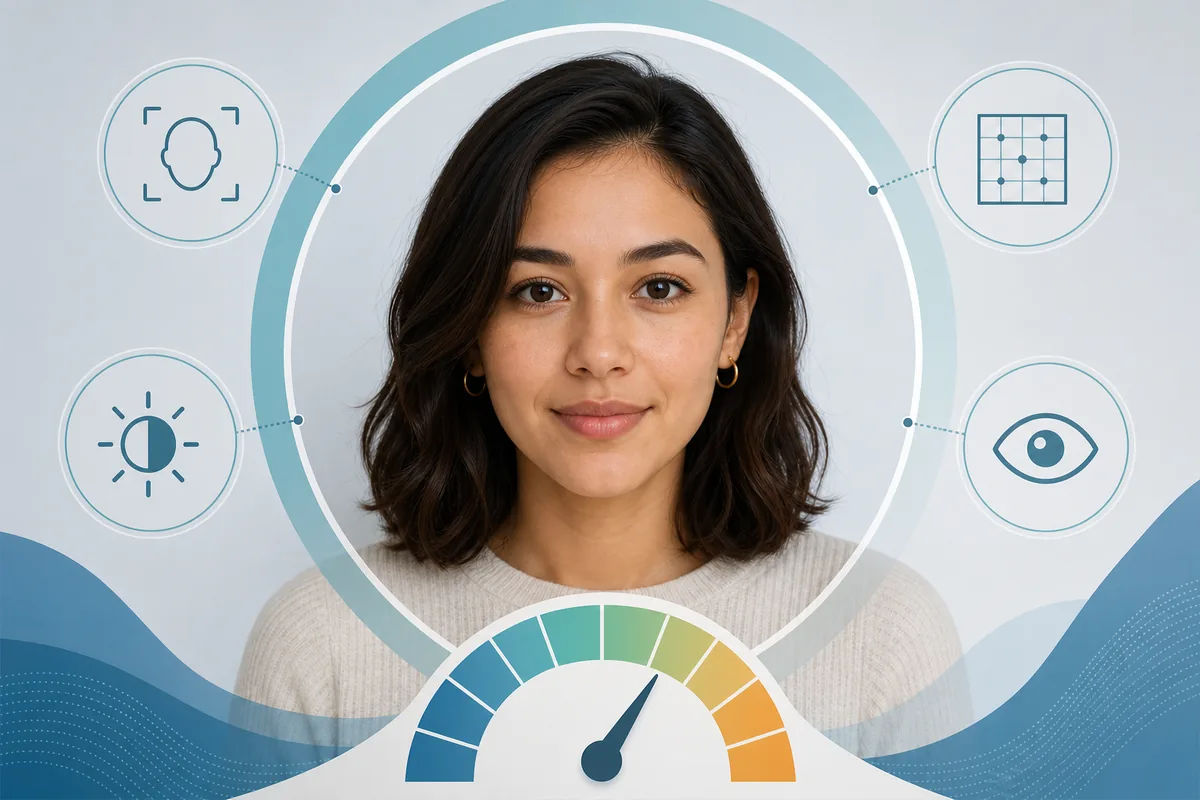
Searching for the most accurate image to age detector online usually means more than finding a page with an upload button. You want to know whether the estimate is consistent, whether the tool explains what it is reading, and whether your face photo is handled responsibly. The phrase also hides an important limit: an AI system can estimate how old a face appears in one image, but it cannot prove a birthday from pixels alone. The practical way to compare tools is to hold the test conditions steady. Use the same clear portrait, repeat the test with a small set of similar photos, note whether the output moves wildly, and read the privacy policy before uploading anything sensitive. This guide gives you a simple comparison framework and points to the Age Guesser tools when you want to try a photo-based estimate.
What “Most Accurate” Should Mean for an Image Age Detector
Accuracy is often treated as a single score, but age estimation from a photo has several different meanings. A result can be close to a person's chronological age yet poorly explained. Another tool may return a wider range that feels less exciting but is more honest about uncertainty. A third may produce a very stable result only because it ignores difficult photos instead of handling them well.
For a consumer comparison, define accuracy as useful and repeatable apparent-age estimation under clearly described conditions. The best page or tool should tell you what kind of photo it expects, show when the input is weak, avoid false precision, and explain that lighting, expression, camera quality, styling, and model bias can shift the result. That is a stronger standard than choosing the most dramatic number or the highest unverified percentage.
The boundary that keeps the comparison honest
An image age detector estimates how old a face looks in a particular photo. It is not identity verification, a legal age gate, a medical assessment, or proof of a person's real age.
Five Checks That Matter Before You Compare Tools
Use these checks to separate a useful age estimator from a page that only repeats a large accuracy claim. They also make your comparison easier to reproduce later.
Clear input guidance
A useful detector explains whether it needs one visible face, a front-facing crop, enough resolution, and balanced light. It should not make a weak photo look like a reliable test.
Consistent results
Run several similar photos. A small movement is normal, but large swings from tiny changes in expression or crop are a reason to read the estimate as uncertain.
A range or confidence note
A range, confidence indicator, or explanation of visible cues gives more context than a precise number with no evidence. Precision and accuracy are not the same thing.
Specific privacy answers
Before uploading, look for clear language about processing, retention, training use, deletion, third-party sharing, and whether the photo leaves your device or is sent to a server.
A narrow use case
The most trustworthy tools make a modest claim: a photo-specific apparent-age estimate for curiosity or comparison. They do not quietly turn it into an official identity or eligibility decision.
A Fair Way to Compare Two Online Age Detectors
A quick test can be useful if you control the inputs. It cannot replace a formal benchmark, but it can reveal whether a tool is transparent, stable, and practical for ordinary photos.
1. Prepare a small photo set
Choose three to five recent portraits with one visible face. Keep the face large enough to inspect, avoid heavy filters, and include both a neutral expression and a natural expression if you want to see how sensitive the result is.
2. Use the same files in the same order
Do not compare one tool with a polished studio portrait and another with a dim phone selfie. Record the file, the tool, the displayed estimate or range, and any warning about image quality.
3. Look for stability and explanations
Compare the spread of results instead of choosing the lowest or highest number. Note whether the page explains why a result changed and whether it rejects an unusable photo instead of pretending confidence.
4. Review privacy before repeating the test
A detector that is convenient but vague about retention may not be the right choice for a personal photo. Read the privacy wording and remove test files from shared devices when appropriate.
Do not turn a small test into a leaderboard
A handful of selfies can show usability and consistency. It cannot prove that one model is universally more accurate across ages, lighting conditions, cultures, cameras, or demographic groups.
Why Photo Quality Changes the Estimate
Most apparent-age systems work from visible cues. When the image hides those cues, the model has less information and may rely on broader patterns. The comparison image below is illustrative rather than a real product screen: it shows why a clear portrait and an obstructed portrait should not be treated as equivalent inputs.
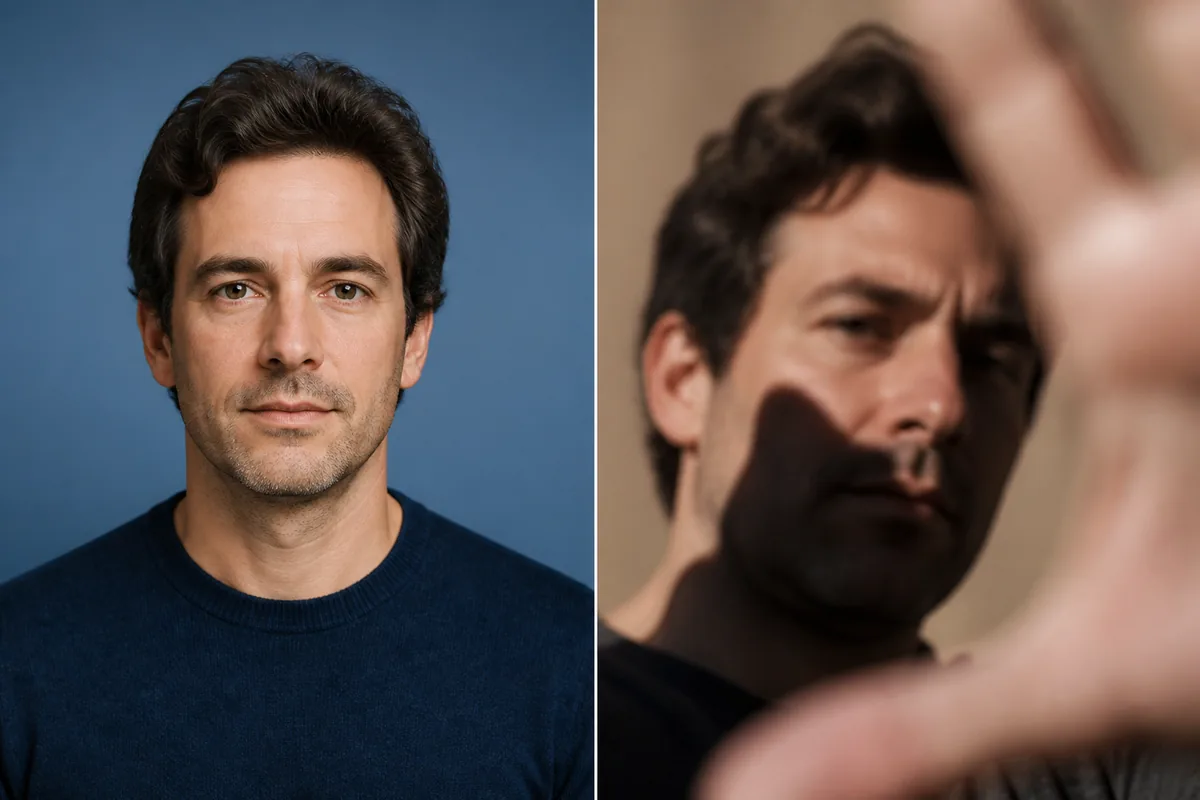
| Input factor | Why the estimate can move | Fair-test action |
|---|---|---|
| Lighting | Harsh shadows can emphasize lines and under-eye contrast; even light reveals a different set of cues. | Compare tools with similar, balanced lighting. |
| Focus and resolution | Blur and compression remove fine texture and make face alignment less stable. | Use a sharp portrait where the face is large enough. |
| Angle and crop | A side angle or tight crop changes visible proportions and can hide the jaw, forehead, or eye area. | Keep the camera near eye level and use a consistent crop. |
| Expression | Smiling, squinting, or tension changes the appearance of lines and facial shape. | Test neutral and natural expressions separately. |
| Styling and filters | Makeup, facial hair, glasses, retouching, and color filters change visible age cues. | Use an unfiltered image when comparing model behavior. |
| Face count | Multiple faces make it unclear which person was analyzed or whether the model selected the intended face. | Use one clearly visible face per test. |
When an Age Estimate Should Not Be Trusted
Even a well-designed detector has failure conditions. Pause before interpreting the number when any of these situations apply:
- The face is tiny, blurred, or partly hidden — The model cannot reliably read details that are not visible. A confident-looking number does not repair missing pixels.
- The photo uses a strong filter or dramatic light — Retouching, colored light, deep shadow, and contrast can change skin texture and facial contours in ways that do not reflect the person.
- Several people appear in the frame — If the system does not clearly identify which face it analyzed, the result is difficult to interpret or reproduce.
- You need an official threshold decision — A casual apparent-age estimate is not a substitute for identity, consent, liveness, document, or review controls used in formal verification workflows.
- You are reacting to one bad result — A single image can make someone look unusually young or old. Compare like-for-like photos before drawing a conclusion about appearance.
Privacy Questions to Ask Before Uploading a Face Photo
Privacy is part of accuracy because people should be able to understand the trade-off before they test a sensitive image. A short privacy statement is useful only when it answers concrete questions:
- Where is the image processed? — Look for a clear statement about browser-side processing, server processing, encryption in transit, and any external model provider.
- How long is the image kept? — Check whether the upload is deleted after the result, retained for a stated period, or stored in an account, cache, log, or backup.
- Is the photo used for training? — Training reuse should be stated directly. If the answer is unclear, do not assume that a free tool has no secondary use.
- Can you avoid high-stakes use? — Choose a tool that clearly says its result is for curiosity and comparison, not employment, medical, financial, identity, or age-restricted access decisions.
How to Use Age Guesser for a Practical Photo Comparison
Age Guesser is designed for a narrow, low-stakes question: how old does this face appear in this photo? You can use the photo-focused tool to establish a baseline, then compare a second portrait with similar framing. Treat the output as an image-specific estimate and use the surrounding explanations to understand why the result may move.
- Start with one clear portrait and one visible face.
- Record the displayed result instead of changing several photo variables at once.
- Repeat with a similar image and read the privacy and limitation notes before sharing the result.
For the hands-on test, start with Guess My Age from Photo, Try the Face Age Detector, Read the Facial Age Estimation Guide ; for the model explanation, read the Read the Age Verification Photo Guide.
Frequently Asked Questions
Summary
The most accurate image to age detector online is the one that gives you a reproducible, well-scoped estimate and explains its uncertainty. Compare the same photos, check image quality, prefer ranges and clear limitations, and read the privacy policy before uploading. Use a photo age tool for curiosity and comparison, not as proof of real age or a formal verification decision.
References and Further Reading
These sources help explain why age-estimation performance should be evaluated carefully and reported with limits.
- NIST Face Recognition Technology Evaluation: age estimation evaluation overview. — View NIST evaluation
- NIST report on the first age-estimation software evaluation results. — Read NIST update
- Research review on deep learning for facial age estimation. — Read the review
Last updated: August 7, 2026