Camera Age Checker: What Live Age Estimates Can Tell You
A practical guide to camera-based age estimation, from browser permission and lighting to privacy, interpretation, and safer retries.
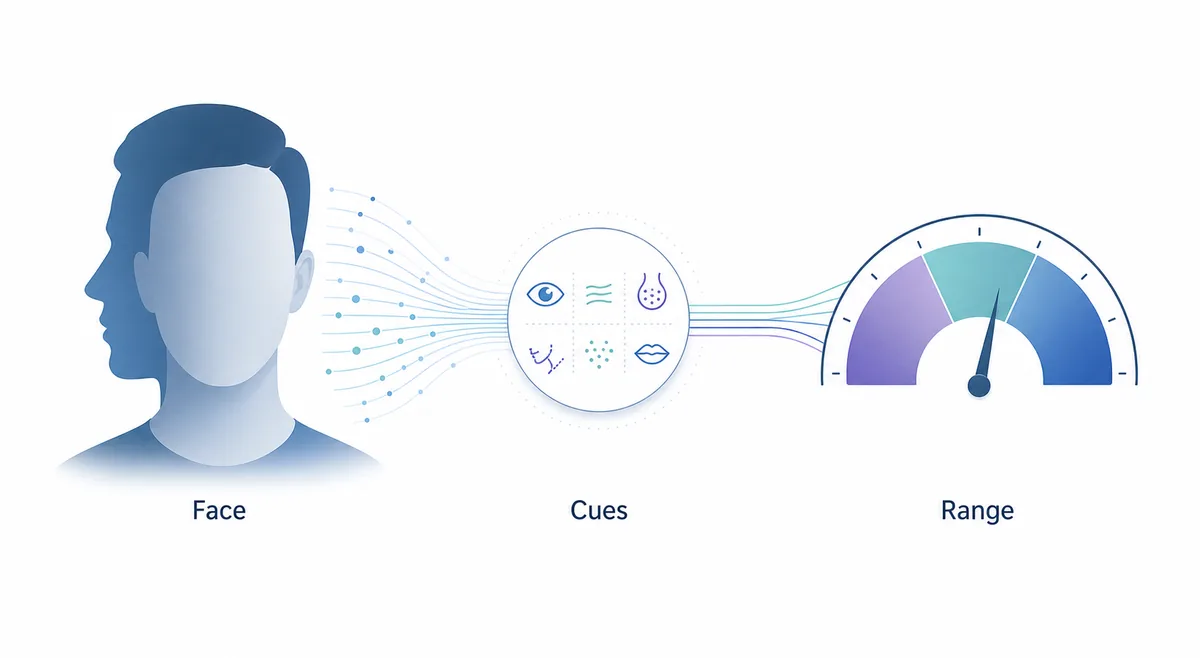
Searching for a camera age checker usually means you want a quick answer to a simple question: how old might I appear when a camera sees me right now? That is a different task from uploading a finished portrait. A live camera workflow adds browser permission, framing, motion, lighting, and a preview state before any model can estimate an apparent age.
This guide explains the complete path in plain language. It separates a playful webcam age estimate from formal age verification, shows how to make a fair comparison, and lists the privacy questions worth asking before you allow camera access. The goal is not to promise a magic number. The goal is to help you understand what the number represents and when a retry is more useful than a stronger conclusion.
What a Camera Age Checker Actually Does
A camera age checker is a face-age estimation experience that starts with a live video stream or a camera snapshot. The page may ask for permission, show a preview, find one or more faces, and then pass a selected frame to a model. Some systems process the frame in the browser; others send an image to a service for analysis. Those implementation choices matter for privacy and latency, so a trustworthy page should explain them instead of hiding behind a cheerful result card.
The output is normally an estimated age, an age range, or a short description such as younger-looking or older-looking. It describes the visual impression created by that frame. It does not read a birth certificate, confirm a government ID, or discover a biological age. Even a consistent result should be treated as a model prediction with uncertainty, not a measurement of personal worth or a verdict about eligibility.
The phrase camera age checker can also be confused with an age-verification system used by a shop or website. Verification answers a threshold question, often with identity or a trusted third party. Estimation guesses an apparent age from a face. This article stays on the estimation side so that a casual tool is not accidentally used for access control, employment decisions, health decisions, or any other high-stakes purpose.
Keep the boundary visible
If a page cannot tell you whether the camera frame stays in your browser or is uploaded, pause before granting permission. A friendly interface is not a privacy explanation.
How a Live Camera Estimate Works
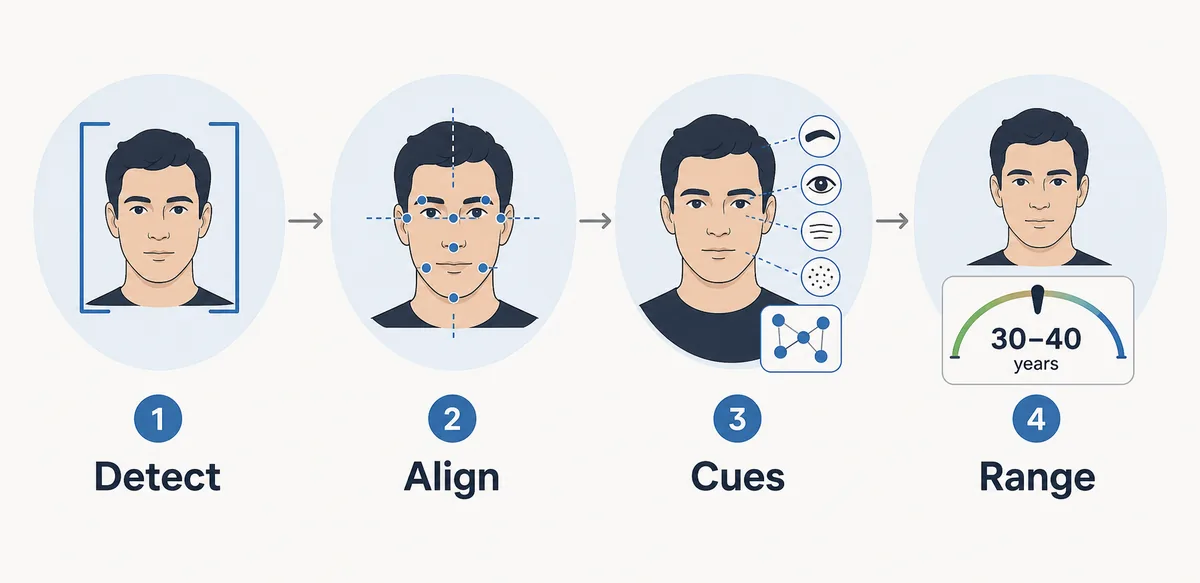
When you guess age with a live camera, several small stages happen in sequence. A failure at any stage can make the result look confident even though the input was weak, so it helps to know what each stage is doing.
1. Permission and device selection
The browser requests camera access and chooses a device. A laptop may have an internal webcam, while a phone may switch between front and rear cameras. Denying permission should produce a clear explanation and a way to retry; it should never be treated as a failed age result.
2. Preview and face detection
The page looks for a face inside the video frame. A face that is too small, partly hidden, turned sharply, or joined by several other faces may be rejected or may create a less stable estimate. A visible preview lets you fix the frame before capture.
3. Quality checks
Useful checks include brightness, blur, face size, eye visibility, and whether the camera is moving. These checks are not the age model itself. They are guardrails that help the model receive an image closer to the examples it was designed to interpret.
4. Model inference
The selected frame is transformed into numerical features and compared with patterns learned from labeled training images. The exact model, training population, and calibration are usually not visible to a casual user, which is why a result needs cautious wording.
5. Result and recovery
The interface displays a number or range and should offer a retry or reset path. A second attempt is useful when the first frame was dark or blurred, but several attempts are not proof that the model is accurate. Record the conditions if you are comparing frames. Seemingly tiny differences can come from capture noise.
| Stage | Useful signal | What it cannot prove |
|---|---|---|
| Camera frame | Face visibility, light, angle, motion | Chronological age or identity |
| Quality check | Whether the image is usable | That a usable image will be accurate |
| Model estimate | A learned appearance pattern | A birthday, health state, or legal status |
| Result card | A number, range, or error state | A universal error bound for every person |
Capture Conditions That Change the Result
A camera age checker sees pixels, not your life history. The way those pixels are captured can change the visible cues, so a fair test changes one condition at a time and avoids treating a single surprising output as a personal fact.
Light and contrast
Face a soft window or use even room light. A bright lamp behind you can turn the face into a silhouette, while a hard side light can create shadows that look like texture. Automatic exposure may also brighten or darken the frame between attempts.
Distance and camera height
Keep the camera near eye level and place your face large enough for the preview without crowding the lens. A very close phone camera changes perspective around the nose and cheeks. A face that is too far away gives the model fewer pixels to use.
Angle and expression
A straight-on face gives a different view from a three-quarter turn or a profile. Smiling, frowning, or speaking changes the eyes, mouth, and cheek shape. Use a relaxed expression when comparing two frames, and do not assume that the most flattering pose is the most informative one.
Glasses, hair, filters, and motion
Glare on glasses, hair over the eyes, masks, beauty filters, and motion blur can hide or invent cues. Pause the camera, remove only what you are comfortable removing, and avoid editing the frame if you want to understand the live workflow rather than a retouched photo.
Multiple faces and background clutter
A tool may select the largest face or may reject a group. Keep one consenting person in the frame and use a quiet background. Never point a camera at people who have not agreed to the capture, especially in a public place.
A Careful Camera Workflow
Use these steps when you want to use camera to guess my age as a low-stakes experiment. They also make it easier to tell whether a changed result came from your face or from the capture conditions.
1. Read the page before pressing Allow
Look for a short explanation of processing, retention, and the purpose of the estimate. Check whether the page offers local processing, what happens after a failed request, and where the privacy policy lives. If those answers are missing, use a still image you are comfortable sharing or leave the page.
2. Set one stable scene
Place the camera at eye level, face a soft light, keep the background simple, and keep your face relaxed. Do not change camera, makeup, filter, or distance while you are trying to understand the effect of one variable.
3. Grant access only for the task
Use the browser permission prompt rather than an unrelated extension or download. After the result, stop the camera stream if the page does not do that automatically. On a shared computer, close the tab and check the browser's site-permission settings.
4. Wait for a complete state
A loading message is not a result. Let the page finish, and notice whether it reports a usable face, a range, or an error. If the frame is rejected, correct the stated problem instead of repeatedly clicking the action while the old preview is still visible.
5. Compare responsibly
If you retry, write down the light, angle, distance, expression, and output. Treat a difference of a few years as a change in model impression, not proof that your appearance or health changed. Do not share someone else's result without their consent.
Privacy, Consent, and What the Number Means
Camera access is more intimate than choosing a public image. Before using a webcam age check, ask three concrete questions: Is the frame processed locally or uploaded? How long is it retained? Can the tool work without an account, advertising identifier, or unnecessary profile? A page may say that it does not save photos while still sending a frame to a server for a short-lived request, so the processing path should be stated precisely.
Consent matters even when the tool is only for fun. Use your own face or get clear permission from every person in view. Do not use a live camera to screen strangers, children, employees, customers, or a partner. Age estimation is sensitive because it can affect how someone is treated, and a casual model is not an appropriate substitute for a documented policy or a lawful verification process.
The estimate itself is also personal context. A screenshot can contain a face, a timestamp, and a visible age label. Treat it like any other personal image: avoid posting it publicly by default, remove it from shared folders, and use the site's reset control when you are done. A clean result card does not make the underlying data anonymous.
- Local is not automatically perfect. Browser processing can reduce transfer, but permissions, cached media, analytics, and extensions still deserve attention.
- A server request should be explainable. The page should name the purpose, retention window, and contact or policy link for an uploaded frame.
- Consent must be specific. A person agreeing to a photo is not automatically agreeing to age inference or publication of the result.
- Estimation is not verification. Do not use a webcam estimate for legal access, health decisions, hiring, school discipline, or identity checks.
A safe default
When the processing path is unclear, do not grant camera access. A useful age experiment is optional; a face image cannot be taken back once it has been copied.
How to Read the Number
The best way to interpret a live estimate is as a frame-specific impression. If the camera returns 24 today and 29 tomorrow, the difference may reflect light, pose, lens distance, or the model's own variation. It does not establish that your real age is either number. A range can be more honest than a single value, but a range still depends on the data and calibration behind the tool.
Look for repeated patterns rather than chasing the lowest result. A controlled comparison can tell you that backlighting creates a less stable frame or that a profile is outside the tool's intended input. It cannot tell you how attractive, healthy, employable, mature, or trustworthy a person is. Those judgments are outside the safe purpose of a camera age checker.
For a product or research team, the same distinction applies at a larger scale. A casual camera age checker is not a validated age-assurance system. Any real access decision needs a documented purpose, a tested model, a clear error policy, human oversight where appropriate, and legal review for the target market. The article's practical workflow is deliberately narrower: understand the capture, protect consent, and treat the output as uncertain.
| Output | Reasonable interpretation | Next step |
|---|---|---|
| One clear estimate | The selected frame was accepted | Record conditions if you need a comparison |
| A wide range | The model signals uncertainty or broad calibration | Read the limits and avoid over-reading the midpoint |
| A different result after a retry | Capture or model variation changed the impression | Change one condition at a time |
| No face or permission error | The workflow did not complete | Fix the stated issue or stop; do not treat it as an age result |
Want a photo-based comparison?
Age Guesser also offers a photo-based age estimate from a chosen portrait. That workflow is different from a live camera age checker, but the same basics apply: use a photo you are allowed to analyze, read the privacy information, and treat the result as an appearance estimate rather than proof.
Frequently Asked Questions
Related guides
- How old do I look? A practical guide - Learn how photo conditions shape an apparent-age estimate.
- Can AI guess age from a side profile? - See why angle and missing facial cues affect a photo estimate.
- Privacy policy - Review the site's data-handling disclosures before using a face tool.
Sources and further reading
- Yoti describes camera-based age estimation without documents and explains that its example flow deletes information after an estimate. Read the source
- The European Commission's data protection guidance is useful context when a camera or face image is processed. Visit the data protection guidance
Last updated: November 16, 2026